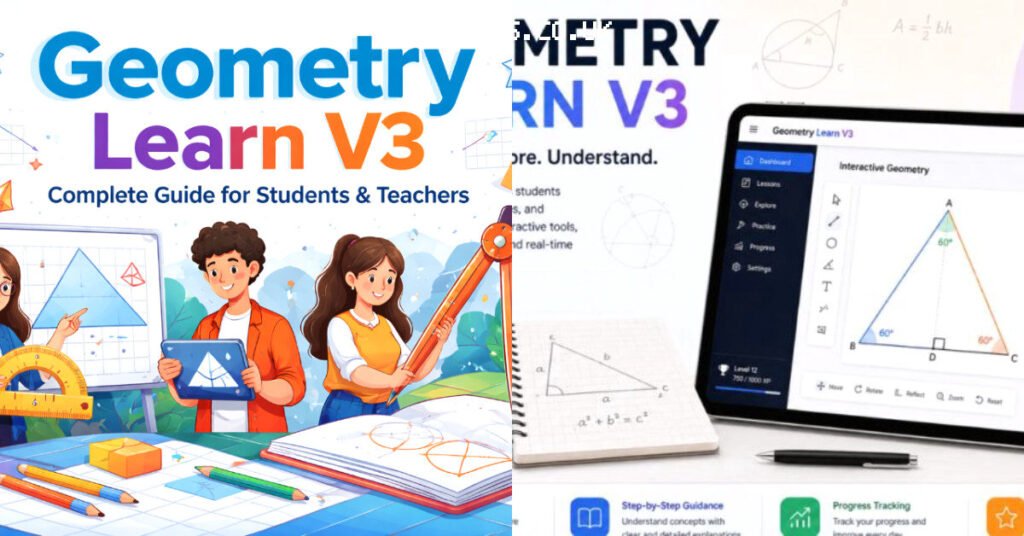
Geometry Learn v3 is a free, browser-based geometry tool that prioritizes simplicity over feature bloat. Developed by Matt Weinberg, it runs as a single HTML file, making it instantly accessible for teachers and students without installation.
What Geometry Learn v3 Does Well and Where It Falls Short
The tool’s core strength is its point-and-click interface. You can place points, draw lines, segments, circles, and polygons with minimal clicks. Perpendicular and parallel constructions are handled intuitively, which is a relief compared to the menu-heavy alternatives.
Angle measurement and distance display are built directly into the workspace. That means students can drag a triangle’s vertex and watch the angle values update in real time. It’s a smooth, immediate feedback loop that supports discovery-based learning. For a complementary read on the same theme, see Peter Orszag Bald: The Economist's Look and Career
Transformation tools—translation, reflection, and rotation—are also present. These are essential for teaching symmetry and congruence, and they work without requiring students to type coordinates or commands.
But the weaknesses are real. The tool lacks the algebraic integration that platforms like GeoGebra offer. You cannot enter a function or equation and see it graphed. For teachers covering coordinate geometry or function transformations, this is a dealbreaker.
Another limitation is the absence of collaboration features. Students work individually on their own files; there is no shared workspace or live commenting. In a remote or hybrid classroom, that’s a significant gap.
Performance is fine for basic constructions, but complex diagrams with dozens of objects can slow down noticeably. The rendering engine is not optimized for heavy scenes, so large projects become sluggish.
Clearing Up Misconceptions About Geometry Learn v3
A common misconception is that Geometry Learn v3 is a full replacement for GeoGebra. It is not. The developer’s stated goal is to provide a simplified tool for K-12 education, not a comprehensive mathematical environment.
Another myth is that the tool requires an internet connection. In fact, because it is a single HTML file, you can download it and run it entirely offline. That makes it useful in schools with unreliable connectivity.
Some users assume it is a commercial product with hidden costs. It is open-source and free to use, with the source code available on GitHub. There are no premium tiers or subscription fees.
People also confuse the version numbers. Geometry Learn v3 is not a major rewrite of a desktop application; it is an iteration of a web-based tool that has been refined for classroom usability. The version number reflects UI improvements, not a change in underlying technology.
Finally, some believe it is only for elementary students. While the interface is simple, the transformation tools and angle measurement are relevant through middle school and into early high school geometry.
How Geometry Learn v3 Compares to GeoGebra and Geometer’s Sketchpad
GeoGebra is the heavyweight in this space. It offers graphing, CAS, spreadsheets, and 3D geometry, all in one package. Geometry Learn v3 deliberately strips away those features to reduce cognitive load for younger students.
Geometer’s Sketchpad, a classic desktop tool, pioneered dynamic geometry in the 1990s. Geometry Learn v3 borrows its discovery-based philosophy but modernizes it for the browser. Sketchpad requires a paid license; Geometry Learn v3 does not.
For a teacher who wants students to explore geometric relationships without wrestling with menus, Geometry Learn v3 is the more useful approach. The trade-off is that you lose the depth that GeoGebra offers for advanced topics.
If your curriculum includes coordinate geometry, functions, or calculus, you will need GeoGebra. If you are focused on Euclidean constructions and transformations, Geometry Learn v3 covers the essentials with far less friction.
The comparison also extends to usability. GeoGebra’s interface can overwhelm new users with toolbars and panels. Geometry Learn v3’s minimal design means students spend more time thinking about geometry and less time hunting for commands. A reference profile of the subject is maintained on Databricks
Real-World Impact and Classroom Adoption
Teachers have adopted Geometry Learn v3 for its low barrier to entry. A student can open the HTML file and start constructing within a minute, no account creation or login required. That immediacy matters in a 45-minute class period.
The tool’s open-source nature has allowed educators to modify it for specific needs. Some have added custom buttons or adjusted the interface for younger learners, though such modifications require basic JavaScript knowledge.
Development has slowed in recent years, according to some sources. The tool remains accessible via GitHub and online hosting, but new features are not being added at a rapid pace. This is a consideration for schools planning long-term adoption.
Despite the slowdown, the tool has carved out a niche in classrooms that value simplicity over feature completeness. It is not a flashy product, but it does its job reliably.
For teachers who want to see how dynamic geometry works before investing in a paid tool, Geometry Learn v3 serves as an excellent introduction. It demonstrates the core concepts without overwhelming the user.
| Feature | Geometry Learn v3 | GeoGebra |
|---|---|---|
| Installation | None (single HTML file) | Web or desktop app |
| Cost | Free, open-source | Free basic version |
| Graphing functions | Not supported | Fully supported |
| Target audience | K-12 students | Middle school to university |
| Offline use | Yes | Desktop version only |
Frequently Asked Questions
Is Geometry Learn v3 still being actively developed?
Development has slowed considerably, according to some sources. The tool remains functional and accessible via GitHub, but new features are not being added regularly. Teachers should not expect frequent updates.
Where can I download Geometry Learn v3 for offline use?
The HTML file is hosted on GitHub, where you can download it directly. Once saved, you can open it in any modern browser without an internet connection. This makes it ideal for classrooms with limited connectivity.
What is a good alternative to Geometry Learn v3 for advanced geometry?
GeoGebra is the strongest alternative for advanced work. It offers graphing, CAS, and 3D geometry, making it suitable for high school and university courses. The trade-off is a steeper learning curve.
What is Geometry Learn v3 best known for?
It is best known for its simplicity and ease of use. The tool lets students create dynamic constructions with minimal instruction, making it a practical choice for introducing geometric concepts in K-12 classrooms.
Who created Geometry Learn v3 and what was their background?
Matt Weinberg developed the tool. His focus was on creating an accessible geometry environment for students.