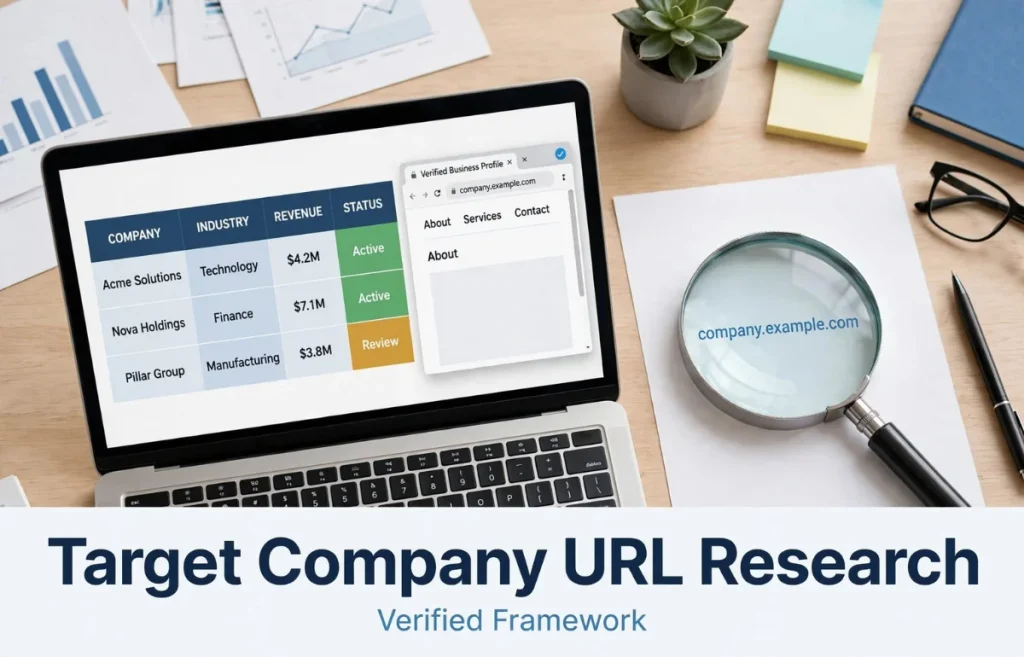
A target company URL is more than just a web address. In business research, SEO, digital marketing, sales outreach, competitor analysis, and lead generation, identifying the correct company website is an important first step.
A company may have multiple websites, regional domains, landing pages, social profiles, product pages, or third-party listings. Choosing the wrong URL can lead to inaccurate research, poor outreach, incorrect SEO analysis, or wasted time.
Whether you are researching a potential client, preparing an SEO campaign, evaluating a competitor, or building a business prospect list, knowing how to locate and verify the right company URL makes the process more reliable.
What Is a Target Company URL?
A target company URL is the web address associated with the company, brand, organization, product, or business you are researching or trying to reach.
For example, if you are researching a fictional company called Northstar Digital, its official website might use a URL such as:
The exact URL matters because a company can have several online properties. Its social media account, marketplace profile, review listing, blog, or campaign landing page may not be the primary corporate website.
In most business research situations, the target company URL refers to the official website or domain controlled by the company.
Why the Correct Company URL Matters
Finding a company name is relatively easy. Finding the correct website associated with that company can require more attention.
Consider a business with a common name such as “Summit Solutions.” Search results could contain several companies with similar names. One might be a software company, another a consulting firm, and another a local service provider.
Using the wrong website could affect:
- Company research
- Contact discovery
- SEO audits
- Competitor analysis
- Link-building campaigns
- Guest-post outreach
- Lead generation
- Brand research
- Sales prospecting
- Website traffic analysis
A verified URL gives you a reliable starting point for evaluating the business.
How to Find a Company’s Official Website
There are several practical ways to identify the correct business URL.
Search the Company Name
Start with the company’s exact name in a search engine.
Look for results that clearly identify the business and match its industry, location, branding, and services. The first result is not automatically the official website, so check the result carefully.
Pay attention to:
- Company name
- Logo and branding
- Business description
- Location
- Services
- About page
- Contact information
- Domain name
If several companies have similar names, additional information such as the city or industry can make the search more precise.
Check the Company’s Business Profiles
Business directories and professional profiles can help confirm a company’s identity.
Depending on the organization, useful sources may include:
- Google Business Profile
- Industry directories
- Chamber of commerce listings
- Professional associations
- Government business records
- Established review platforms
These sources can help connect a company name with a specific domain.
However, a directory listing should generally be treated as supporting evidence rather than automatic proof that the linked website is the company’s primary domain.
Look at the Company’s Social Profiles
Established businesses often link their official website from social media profiles.
Check the website field on profiles belonging to the company or its verified representatives. Compare the linked domain with the company’s branding and other business information.
This can be particularly useful when a company’s domain name differs from its exact legal or brand name.
Review the Contact and About Pages
Once you find a possible company website, inspect its internal pages.
An authentic corporate website commonly contains information such as:
- About the company
- Contact information
- Products or services
- Company history
- Privacy policy
- Terms and conditions
- Leadership or team information
- Business location
The presence of these elements does not guarantee that a website is legitimate, but consistent information across multiple pages provides useful confirmation.
How to Verify a Target Company URL
Finding a URL is only the first step. Verification is equally important.
Match the Domain With the Brand
The domain should make reasonable sense in relation to the company’s name or brand.
Some legitimate businesses use abbreviated names, parent-company domains, unusual extensions, or completely different domain names. Therefore, a domain mismatch should prompt additional research rather than an immediate conclusion.
Check the Website’s Branding
Compare the website with the company’s known branding.
Look for consistency in:
- Logo
- Company name
- Product names
- Brand colors
- Business descriptions
- Contact details
- Social media accounts
A significant mismatch can indicate that you have found an unrelated website.
Verify Contact Information
Check whether the website provides contact information that corresponds with other reliable business sources.
For example, the business address, phone number, email domain, or company name may appear consistently across multiple legitimate sources.
Check HTTPS
A company website should generally use HTTPS.
You can identify this by looking for a URL beginning with:
https://
HTTPS encrypts communication between a browser and website. However, HTTPS alone does not prove that a website belongs to the company you are researching. It is a security feature, not an ownership verification system.
Check the Domain Carefully
Small differences in domain names can be important.
For example:
examplecompany.com
is different from:
example-company.com
and:
examplecompany.net
is different from:
examplecompany.com
Similarly, misspellings or unusual substitutions can be signs that you are looking at a different domain.
Target Company URL vs. Target Website URL
These phrases are often used interchangeably, but context can make their meanings slightly different.
A company URL usually refers to the company’s main website or domain.
A target website URL can refer to any specific page that someone wants to analyze, contact, promote, or link to.
For example, an SEO campaign could have:
- Target company URL: the company’s main domain
- Target website URL: a specific product page
- Target landing page URL: a marketing landing page
- Target article URL: a particular blog post
Understanding this distinction is useful when preparing SEO campaigns or digital marketing reports.
Why URL Accuracy Matters for SEO
SEO professionals frequently work with multiple URLs associated with the same business.
A company may have a homepage, service pages, category pages, blog articles, location pages, and product pages. Each URL serves a different purpose.
If the objective is domain-level analysis, the main company website may be the appropriate target.
If the objective is improving visibility for a particular service, however, a specific service-page URL may be more relevant.
For example, suppose a company sells accounting software. Its main website could be:
example.com
while an important service page could be:
example.com/accounting-software
An SEO campaign targeting the accounting-software topic may need to focus on the second URL rather than simply using the homepage.
Choosing the Right Target URL for Link Building
Link building requires particular attention to URL selection.
A backlink can point to a company’s homepage, a category page, a service page, a product page, or another relevant destination.
The appropriate target depends on the purpose of the campaign.
A homepage may make sense when building general brand authority. A specific internal page may make more sense when the campaign is focused on a particular service or topic.
The key consideration is relevance. The destination should provide useful information to visitors who follow the link.
A link should not be placed on an unrelated page simply because that URL belongs to the target company.
Common Mistakes When Identifying a Company URL
Several mistakes occur frequently during business research.
Assuming the First Search Result Is Official
Search engines display many types of results, including directories, review websites, social profiles, advertisements, and third-party articles.
The first result is not necessarily the company’s official website.
Confusing a Social Profile With the Company Website
A LinkedIn, Facebook, Instagram, or other profile can represent a business, but it is not normally the company’s primary website.
If someone asks for the company URL, clarify the distinction internally and provide the official business domain when appropriate.
Using a Marketplace Listing
Some companies sell through Amazon, Etsy, eBay, Walmart Marketplace, or other platforms.
A marketplace profile may represent the company but is usually different from its independently controlled corporate website.
Ignoring Regional Domains
International companies may use separate domains or subdomains for different markets.
For example, a company may operate:
example.com
and regional websites such as:
example.co.uk
or
example.de
The correct target depends on the intended market.
Focusing Only on the Homepage
A company’s homepage is not always the most useful target.
For SEO research, sales outreach, or content promotion, an internal page may be much more relevant to the subject being investigated.
How Businesses Can Make Their Official URL Easier to Identify
Companies can also reduce confusion by maintaining consistent online information.
A business should ideally use the same brand name and domain consistently across its website, social profiles, business directories, and professional listings.
Clear contact information and an easily accessible About page can also help visitors confirm that they have reached the correct organization.
Consistent branding is particularly important for businesses operating in competitive industries where multiple companies have similar names.
A Simple Target Company URL Verification Process
A practical verification process does not need to be complicated.
Start by searching the exact company name. Identify the most plausible official website, then compare the company name, industry, branding, location, and contact information.
Next, check independent business profiles and social accounts to see whether they reference the same domain.
Finally, determine whether you need the company’s main domain or a specific page within the website.
This simple process can prevent many research and outreach mistakes.
Frequently Asked Questions
What does target company URL mean?
A target company URL usually means the web address of the company being researched, contacted, analyzed, or promoted. In most situations, it refers to the company’s official website or domain.
How do I find a company’s official URL?
Search for the exact company name and verify the resulting website using its branding, business information, contact details, social profiles, and other reliable sources.
Is a company URL the same as a domain name?
They are closely related but are not always identical. A domain identifies the website’s domain, while a URL can point to the domain itself or to a specific page, such as /services/seo.
Can a company have multiple URLs?
Yes. A company can operate multiple domains, regional websites, subdomains, landing pages, product pages, and other web properties.
Should I use the homepage URL for SEO?
Not necessarily. The appropriate URL depends on the SEO objective. A homepage may be suitable for brand-focused work, while a relevant internal page may be more appropriate for a specific topic or service.
How can I tell whether a website is really owned by a company?
Compare information across the website, official business profiles, social accounts, and other reliable sources. Look for consistent branding, contact information, company details, and references to the same domain.
Does HTTPS prove that a company owns a website?
No. HTTPS helps secure website communication but does not independently establish who owns or operates the domain.
What is a target website URL in link building?
In link building, a target website URL is the destination page that a backlink points toward. It can be a homepage or a relevant internal page, depending on the campaign’s objective.
Why is URL verification important for outreach?
Using the wrong website can result in contacting the wrong business or researching inaccurate information. Verification helps ensure that outreach is directed toward the intended company.
Can the target company URL change?
Yes. Companies can rebrand, change domains, merge websites, move to new domain names, or restructure their web presence. For this reason, URLs should be checked periodically when working with older business data.
Conclusion
A target company URL is a simple concept, but identifying the correct one requires more than copying the first web address that appears in search results. Businesses can have multiple online properties, regional domains, social profiles, marketplace listings, and specialized landing pages.
For research, SEO, outreach, and digital marketing, the most reliable approach is to identify the official business domain, verify it against consistent company information, and then determine whether the homepage or a specific internal page is the appropriate target.
Taking a few extra minutes to verify the URL can make business research more accurate and help ensure that SEO and marketing activities are directed toward the right website.







1 thought on “Target Company URL How to Find Verify and Use the Right Business Website”
Comments are closed.